Apps & Devices
German4K Pro: our own IPTV app for Fire TV, Android TV, and Android
5 Min. reading time · Updated on 17. September 2026
. Read time
Until now, IPTV on the Fire TV Stick or Android Box always meant: installing a third-party player app, typing in a server address, and repurchasing a license after seven days. That is over now. With German4K Pro, there is our own app – built for our access, in German, with no additional costs and no trial period. Anyone who uses German 4K gets the app included.
What makes German4K Pro different
- Free and without a license: no annual fee, no "trial period expired," no third-party activation.
- Sign in once: type in the username and password from your order – the connections appear automatically. No server address, no port.
- German: menus, instructions, and the program guide (EPG) in German, 24-hour format, expiration date, and renewal directly in the app.
- Two connections pre-configured: if one is currently not running, you choose the other – without a support request.
- Live TV, movies, series, and catch-up in one interface, made for the remote control.
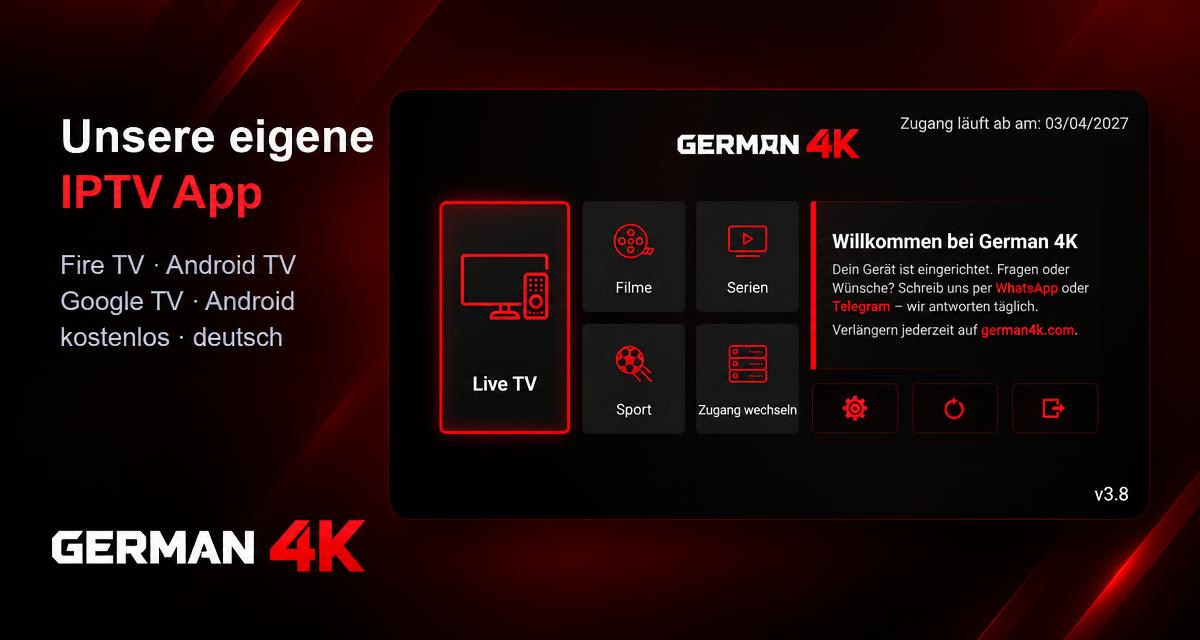
The home screen: Live TV, movies, series, sports – and on the right, the info panel with the QR code for setup.
For which devices?
German4K Pro runs on the Amazon Fire TV Stick (4K, 4K Max, Cube), on Android TV and Google TV (Chromecast, Nvidia Shield, TVs with Android TV), as well as on Android phones and tablets. Samsung and LG TVs keep their apps from their respective stores – nothing changes there.
Installation in three steps
1. Open Downloader
On the Fire TV Stick or Android TV, install the free app "Downloader" from the store. Once only, under Settings → My Fire TV → Developer Options, allow "Apps from Unknown Sources" for the Downloader.
2. Enter code 3781465
In the Downloader, type in the code 3781465 and confirm with "Go." German4K Pro downloads and installs itself. Alternatively, the address german4k.com/ app/german4k.apk works – also in the browser on the phone.
3. Sign in once
Open German4K Pro, Settings → "Add Access," type in the username and password from your order. Done. At the next start, all channels, movies, and series are there.
Logging in means: name, username, password. The address is already entered.
Even more convenient: scan QR code
On the home screen, the app shows a QR code on the right. Scan it with your phone, enter your username and password there – the website already knows your device and sets it up. No typing with the remote control. And if you wish, simply send us the MAC address and device code shown under the QR code: then we will apply the access for you.
Are you still using another player?
No problem – your access will continue to work in any app that understands Xtream credentials. We still recommend switching: with German4K Pro, license costs and trial periods are eliminated, and if something hitches, we can help directly because the app belongs to us.
Read more & setup
- German4K Pro – Guide and Setup — Downloader code, address, QR setup
- Install IPTV on the Fire TV Stick — Illustrated step-by-step guide
- Setup IPTV on Android TV — For boxes and TVs with Android TV
Frequently Asked Questions
What does the German4K Pro app cost?
Nothing. The app is part of your German 4K access – no license, no annual fee, no trial period.
Do I have to enter a server address?
No. The address is pre-configured in the app. You only type in the username and password from your order – or scan the QR code and enter both on your phone.
Does German4K Pro run on Samsung or LG?
No, the apps from the Samsung or LG store remain there. German4K Pro is available for Fire TV, Android TV, Google TV, and Android phones.
How do I get updates?
The app reports new versions itself and downloads them from our server at the touch of a button. You don't have to reinstall anything.
I installed the app, but there is no picture – what to do?
Under "Change Access," select the second connection "German4K Classic." If that doesn't help, send us the MAC address from the app via WhatsApp or Telegram – we will check it immediately.