Tech & Internet
4K IPTV explained: True 4K vs. Upscaling – and how you really stream in UHD
9 Min. reading time · Updated on 30. June 2026
. Reading time
"4K IPTV" is written on almost every offer today – and that is exactly what makes the search so difficult. Because there are worlds between a channel that is actually broadcast in 4K and one that only sells upscaled HD as "4K" on a large television. In this guide, you will learn what 4K technically means for IPTV, how to distinguish real UHD from upscaling, and which three components – internet, device, and app – you need so that IPTV actually runs in 4K for you.
What does 4K even mean for IPTV?
4K – also called UHD (Ultra High Definition) – describes a resolution of around 3840 × 2160 pixels. That is four times as many pixels as Full HD (1920 × 1080). More pixels mean more details, sharper edges, and a smoother image – the difference becomes clearly visible especially on televisions from about 50 inches upwards.
With IPTV, this 4K signal is transmitted as a data stream over your internet connection. The decisive factor is: A channel is only "real 4K" if the material is also produced and delivered in this resolution. If an HD signal is subsequently blown up to 4K size, this is called upscaling – and technically that is something completely different.
Real 4K vs. upscaled HD (Upscaling): The crucial difference
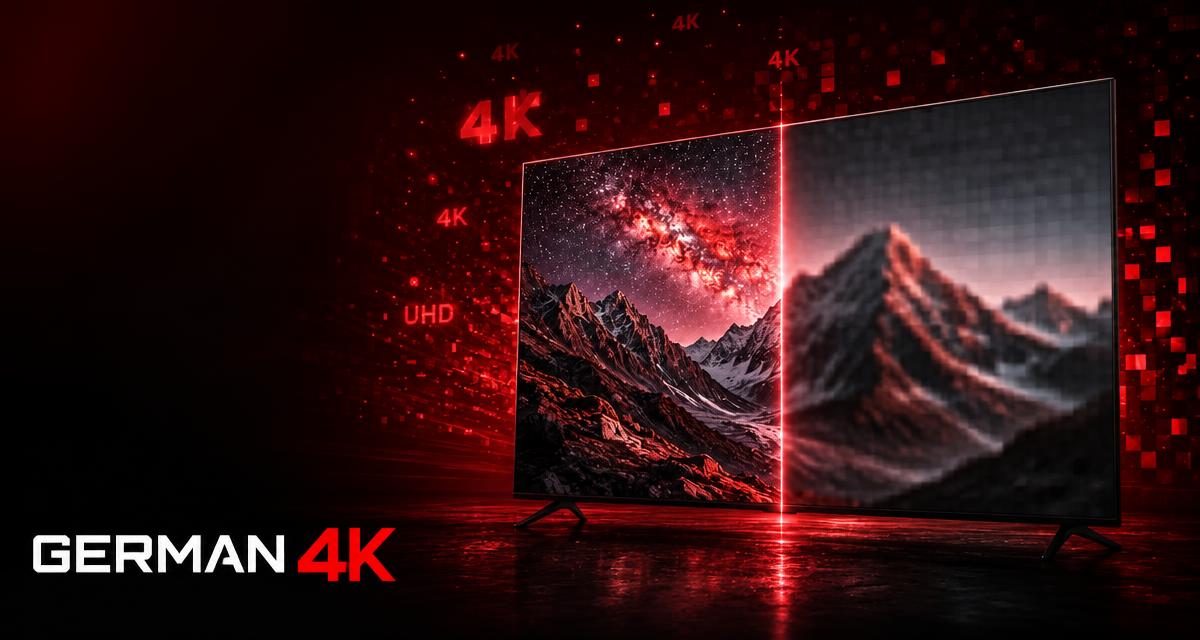
With upscaling, a device or the provider artificially calculates an HD image up to the pixel count of 4K. Although the image fills the 4K screen, it contains no additional real details – the missing pixels are only estimated. Real 4K, on the other hand, delivers full depth of detail from the start.
- Real 4K: razor-sharp details, clear edges, rich colors – even in fast movements like sports.
- Upscaling (Fake 4K): looks okay at first glance, but details are washed out, especially with movement and on large displays.
- Data rate reveals a lot: Real 4K needs a significantly higher bitrate than HD. A "4K" stream with a very low data rate is almost always upscaled.
- Movement is the test: Real 4K remains sharp during a pan across the playing field – upscaling starts to get "muddy."
How to recognize real 4K IPTV
You don't have to be a technical expert to recognize real 4K. These points help you separate the wheat from the chaff before you buy:
- Test with your own eyes: A reputable provider offers a free trial phase. Watch the channels advertised as 4K on your own television.
- Look for specific 4K channels instead of blanket promises: "Everything in 4K" is unrealistic – clearly named 4K/UHD channels are more credible.
- Check sharpness in motion: Live sports in real 4K remain clear even during fast pans.
- Compare the same content: Switch between the HD and 4K versions of a channel – the difference must be visible.
- Just ask: Good, German-speaking support will tell you honestly which content runs natively in 4K and which does not.
What you need for IPTV to actually run in 4K
Real 4K from the provider is only half the battle. For the image to arrive at your end in full quality, three components must fit together:
1. A sufficiently fast internet connection
For stable 4K streaming, you should plan for at least around 25 Mbit/s of free bandwidth, preferably more. Stability is more important than pure speed: A connection via LAN cable or via the 5 GHz WLAN band is significantly more reliable than an overloaded 2.4 GHz network – especially during evening primetime.
2. A 4K-capable device
Your playback device must also be able to output 4K. An older TV stick or a Full HD television will not show you real 4K, no matter how good the stream is. Current 4K sticks, modern Smart TVs, Apple TV 4K, or a 4K-capable Android/Google TV player are the safe choice.
3. The right IPTV app
The player also plays a role in the decision. Our own app German4K Ultra (Fire TV, Android TV, Google TV), the CR Player on Samsung, the IBO Player Pro on LG, and UHF on Apple devices output 4K streams cleanly and let you adjust buffer and resolution appropriately. A poorly maintained app can slow down even a real 4K signal.
4K IPTV in Germany: What specifically matters
Anyone looking for 4K IPTV in Germany usually wants German-language channels, Bundesliga, and top international events in the best quality. Here, it's not the largest number of channels on paper that counts, but how stably the important content runs in real 4K during peak times. A provider with functioning anti-buffer technology and reachable German-speaking support is worth more than an endless channel list that constantly freezes in the evening.
Common misconception: "More channels = better 4K quality"
Many providers compete with channel counts. But a huge list says nothing about the actual image quality. The decisive factor is whether the channels you actually watch run stably and in real 4K resolution. Better to have 50 important channels in clean UHD than 60,000 entries, half of which do not work.
Conclusion: How to get real 4K instead of empty promises
4K IPTV is more than a marketing logo: You can recognize real 4K by razor-sharp details that hold up even in motion – and by the honest provider who lets you test before you buy. Pay attention to a stable connection, a 4K-capable device, and the right app, then nothing stands in the way of your UHD experience. This is exactly where German 4K comes in: real 4K, stable streams even during primetime, and German-speaking support that is available daily – without a contract and with a free trial phase, so you can convince yourself before you decide.
Convince yourself of real 4K, stable streams, and German-speaking support.
Test German 4K for 24 hours free of charge
Frequently Asked Questions
What is 4K IPTV?
4K IPTV is television over the internet in Ultra HD resolution (around 3840 × 2160 pixels) – four times as many pixels as Full HD. The requirement is that the provider actually broadcasts the content natively in 4K and does not just upscale HD.
What is the difference between real 4K and upscaling?
Real 4K is produced and transmitted in full detail depth from the start. With upscaling, an HD image is artificially calculated up to 4K size – the additional pixels are only estimated, real details are missing. The difference becomes visible especially with movement and on large televisions.
What internet do I need for 4K IPTV?
Plan for at least around 25 Mbit/s of free bandwidth, preferably more. Even more important than speed is stability: A LAN connection or the 5 GHz WLAN band ensures stutter-free 4K, especially during evening primetime.
Which devices and apps are suitable for 4K IPTV?
You need a 4K-capable device such as a current 4K TV stick, a modern Smart TV, Apple TV 4K, or a 4K Android/Google TV player. Suitable players include our own app German4K Ultra on Fire TV, Android TV, and Google TV, the CR Player on Samsung, the IBO Player Pro on LG, and UHF on Apple TV, iPhone, and iPad.
How do I recognize if an IPTV provider really delivers 4K?
Use the free trial phase and watch the channels advertised as 4K on your own television. Real 4K remains sharp even in fast movements. You should be suspicious of blanket "everything in 4K" claims and very low data rates.